Your connected TV, exactly where you want it
Couch Session works with a television that Windows already sees as a display. Move to the TV alone or keep your monitors attached, then restore the original layout, primary display, and window positions.
Already have a TV connected to your gaming PC? Couch Session automates the local handoff — display, sound, HDR, performance settings, and Steam Big Picture move to the TV with one press, then your desk comes back exactly as you left it.
Free forever.Open source under the MIT License, with no paid tier, subscription, or account.

Couch Session turns the desk-to-sofa routine into a reversible system. It records first, moves everything together, and never makes you reconstruct the desktop later.
Switch display
Move sound
Set resolution
Turn on HDR
Open Big Picture
Undo it later
Each part works on its own. Together, they make the PC feel like a console when you want one—and like your desk machine again when you do not.
Couch Session works with a television that Windows already sees as a display. Move to the TV alone or keep your monitors attached, then restore the original layout, primary display, and window positions.
Send sound to the television on the way out and back to your desk on the way in. Leave a game running and its audio can stay muted until you return.
Enable HDR for the whole session or only while selected games run. Steam, Epic, and GOG libraries are scanned automatically, and Smart HDR learns when you use the hotkey.
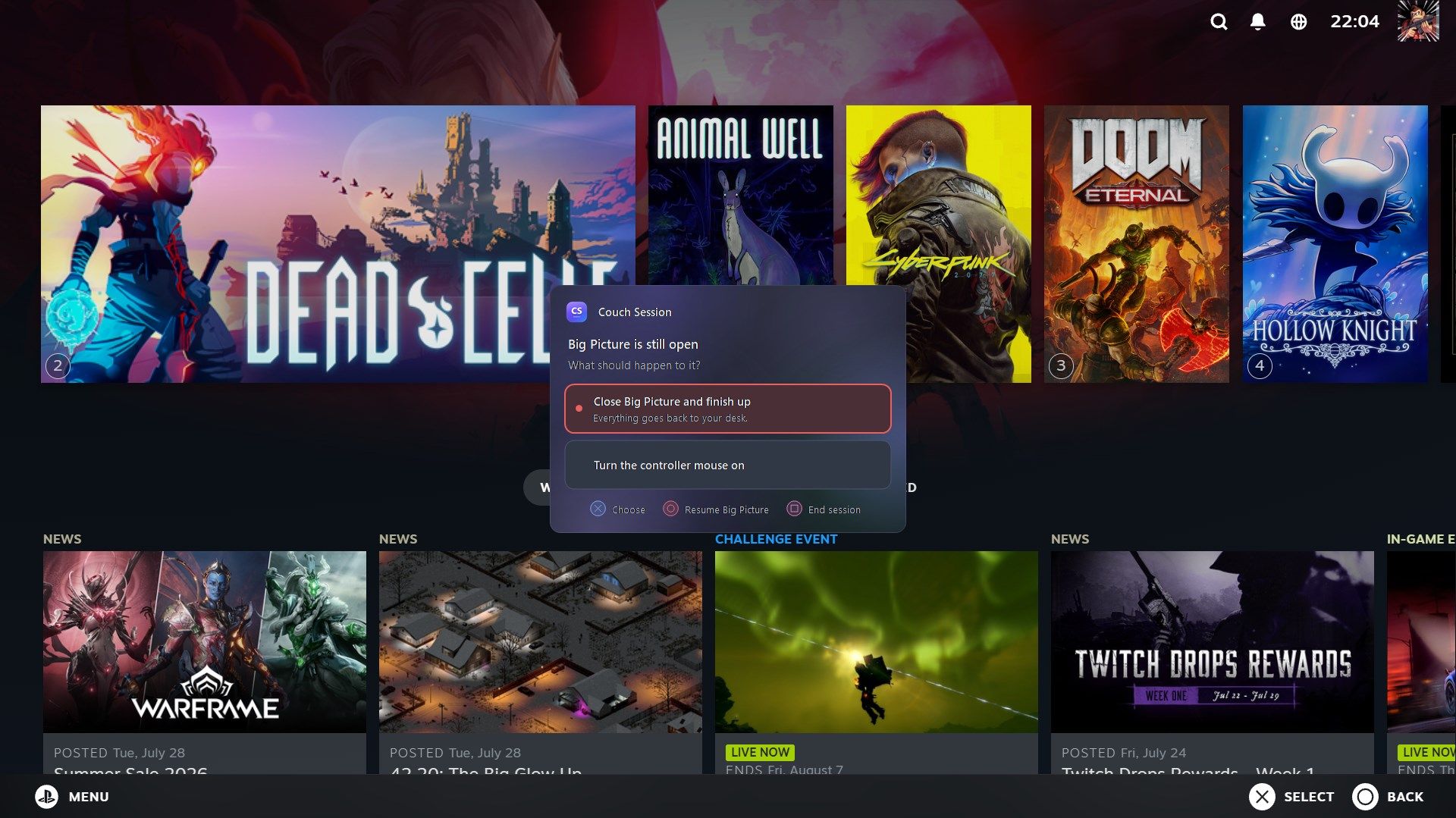
Start and finish from the Guide button, then switch on Controller Mouse whenever a launcher or desktop dialog ignores the pad. The sticks become a pointer, so a controller-only couch session never hits a keyboard-only dead end.
Switch power plans, raise the running game’s priority, and silence notifications for a session. Temporary changes are put back when the game or session ends.
Desk-only mode puts sessions, display switching, and controller triggers away while keeping automatic HDR and performance tools. Change your mind later without losing settings.
Couch Session checks GitHub for new releases and can install them in one click. It stays out of the way while you are playing.
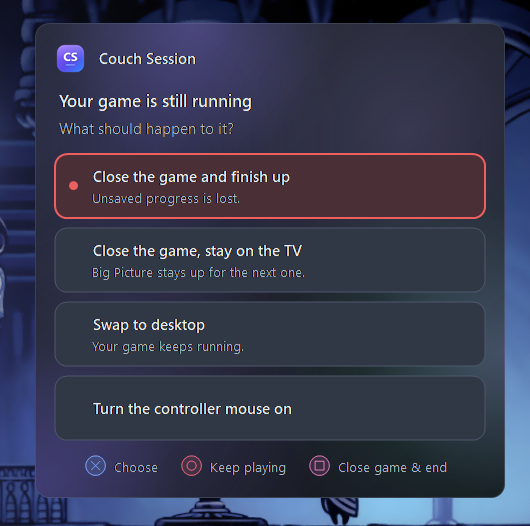
The display arrangement is written down before anything moves. If a run ends badly, the next launch restores the desktop and releases any game audio it was holding.
The app explains what it changes, whether the change is temporary, and the catch you should know before switching it on.
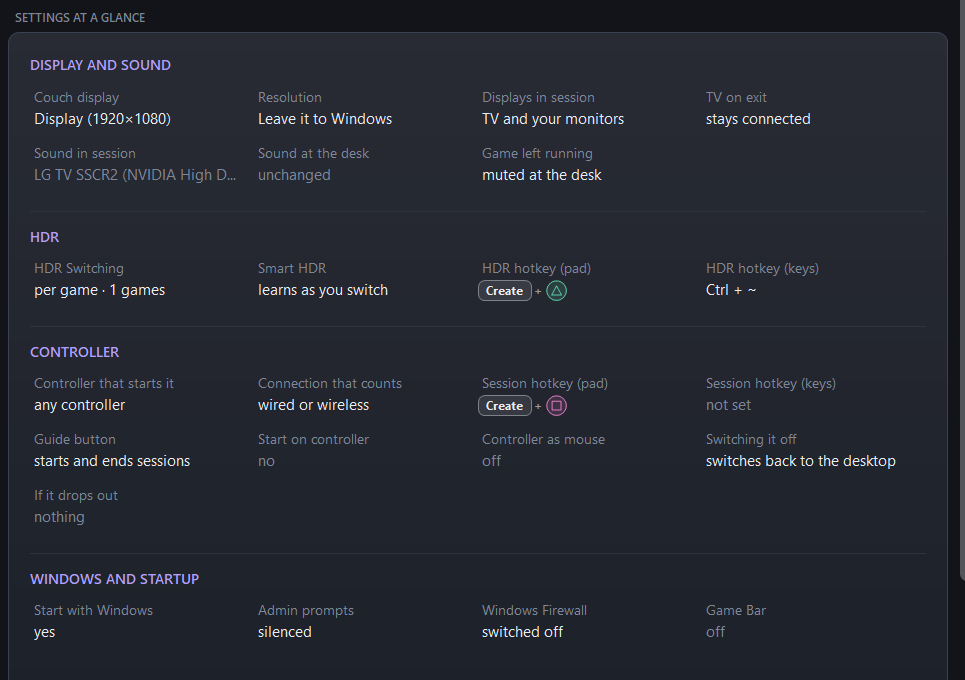
The home screen turns dozens of choices into one readable summary: where the picture and sound are going, how HDR behaves, which controller starts the session, and what Windows will change.

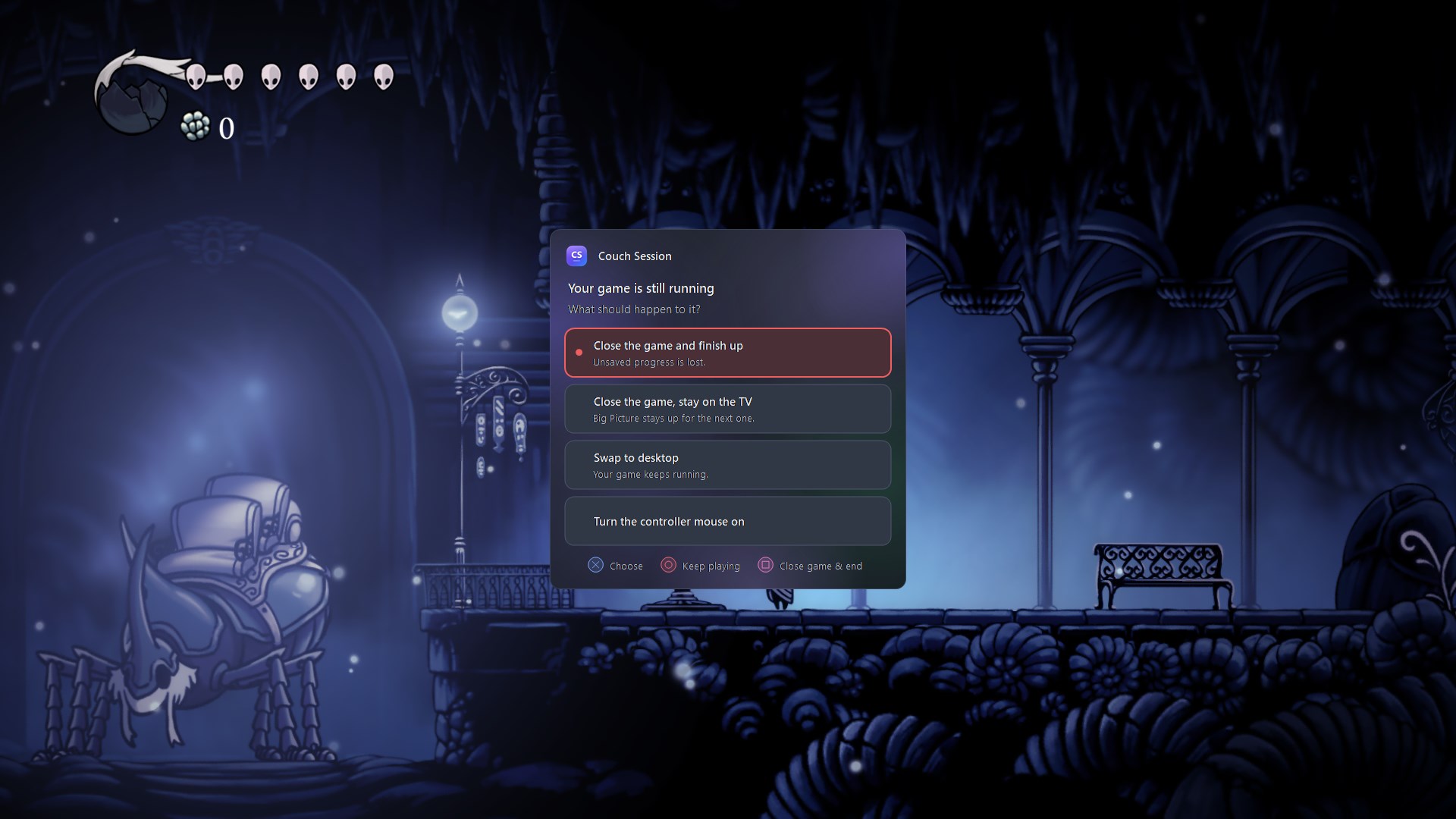
Big Picture, launchers, and desktop dialogs do not always cooperate with a gamepad. Turn on Controller Mouse from the TV prompt and use the sticks as a pointer, so nothing interrupts a controller-only session at the couch.
Pick the TV Windows already sees, couch audio, display mode, and the button you want to use.
The display, sound, HDR, performance, and Big Picture move as one.
Choose what happens to the game, then let Couch Session rebuild your desk.

Use the Guide button as the session switch, turn the sticks into a mouse whenever a launcher stops responding to the pad, and answer the end-of-session prompt from ten feet away. You never have to break a controller-only session to find a keyboard.
Couch Session is a one-person MIT-licensed project. Read every line, build it yourself, report a bug, or fork it into something new. It is free now, will always be free, and has nothing hidden behind a paid edition or login.
It checks GitHub for updates and consults Steam or PCGamingWiki for HDR data. Repository, issue, and donation links open only when you click them.
No. Your gaming PC runs the game and your TV is already connected as a Windows display. Couch Session does not send video or controller input over your network—it automates the display, audio, HDR, performance, and Steam Big Picture changes you would otherwise make by hand.
Only for the Big Picture part of a couch session. Display switching, audio, HDR, hotkeys, controller input, and desk-only mode work without Steam.
Xbox controllers and the PS5 DualSense are tested. Other pads Windows recognizes should work through standard HID or XInput. Couch Session reads the controller without taking exclusive control, so Steam Input, DS4Windows, and games can keep using it.
It does not inject code, hook game processes, read game memory, or synthesize controller input. It listens to standard controller reports and asks Windows about its own displays, audio, and windows.
Nothing. The download is one self-contained Windows executable with no separate runtime and no account. Settings live in %AppData%\CouchSession.
The beta is not code-signed, so Windows may show “Windows protected your PC.” Every release is built publicly from the tagged source by GitHub Actions, and you can inspect the source or build it yourself.
Download one portable file—free now and always—and turn the PC you already own into the living-room console you wanted.
Free forever · MIT open source · no subscriptions · no installer